APK from the release
Download the file, open it on the phone and allow installs from that source. Android 8.0 or newer. Checksums are next to it in SHA256SUMS.txt.
DOWNLOAD · v0.0.3 beta-2TexFi · AGPL-3.0
An open YouTube Music client: fast, adjustable, no telemetry.
The next track is prefetched, speed, pitch and reverb are set per song, and requests go only where they have to.
Beta. It works, but it is young — see “Honest about the limits” below.
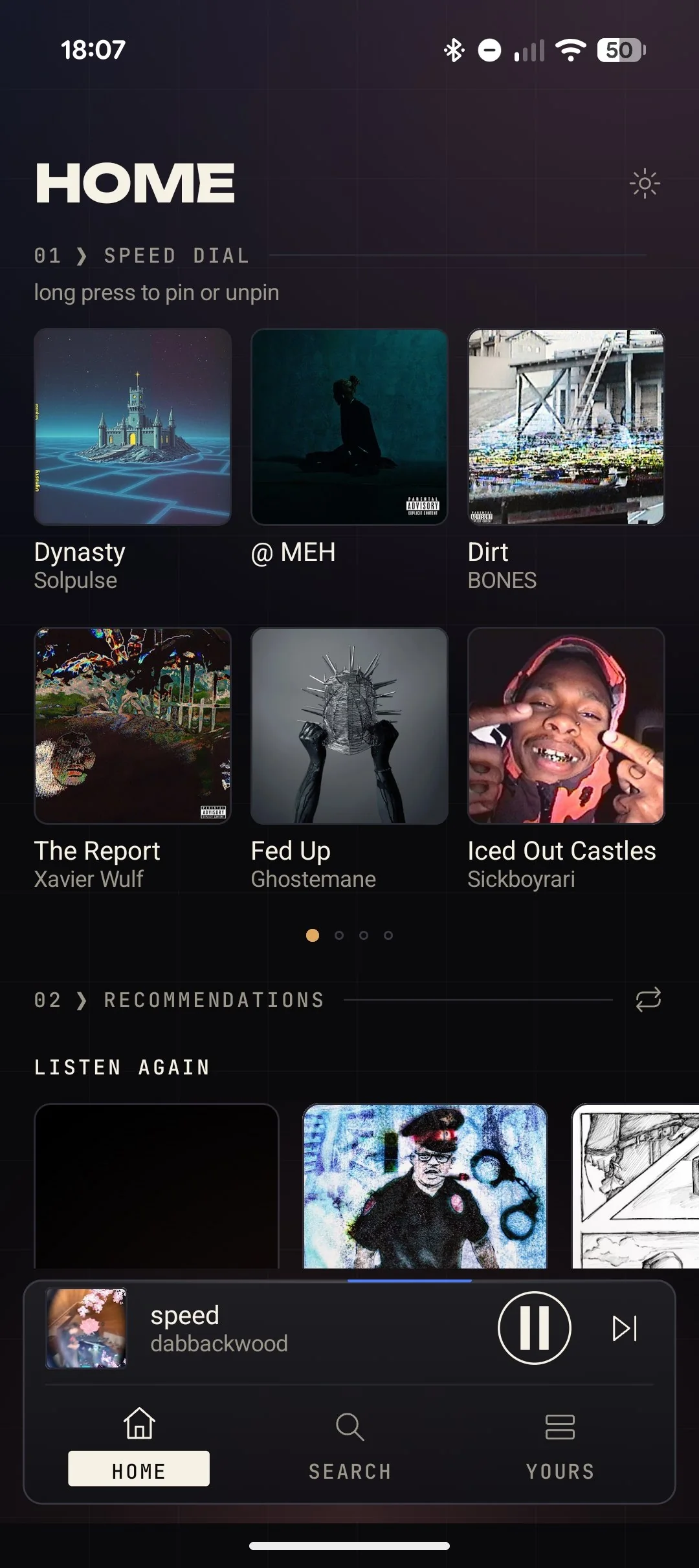
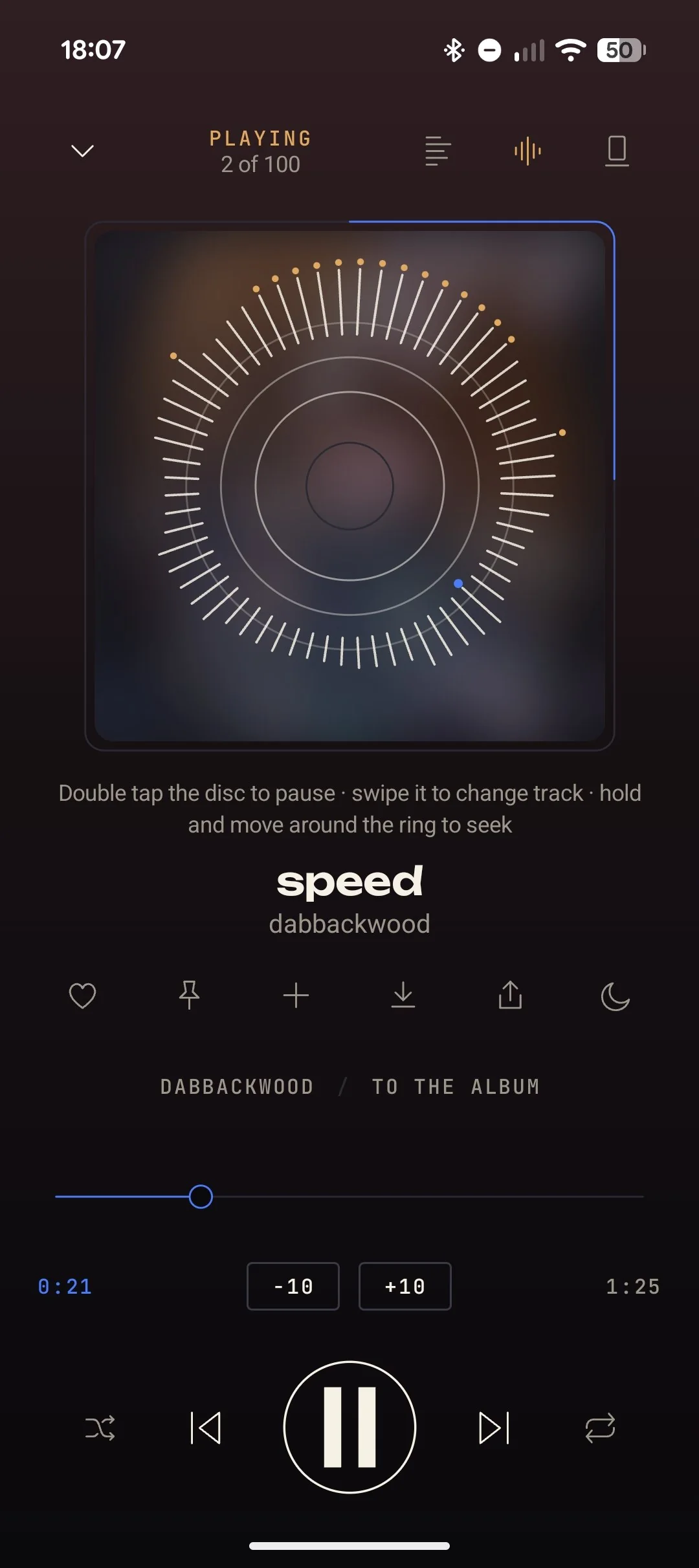
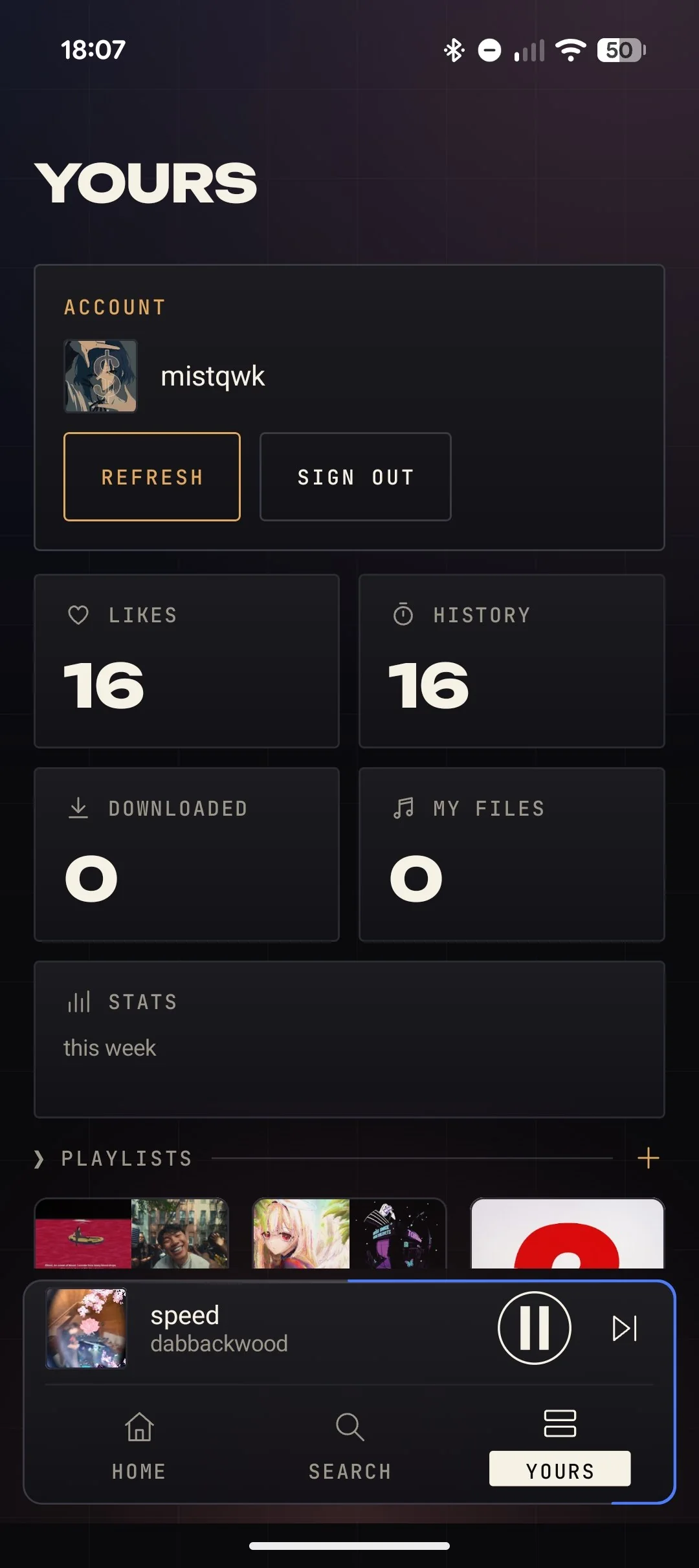
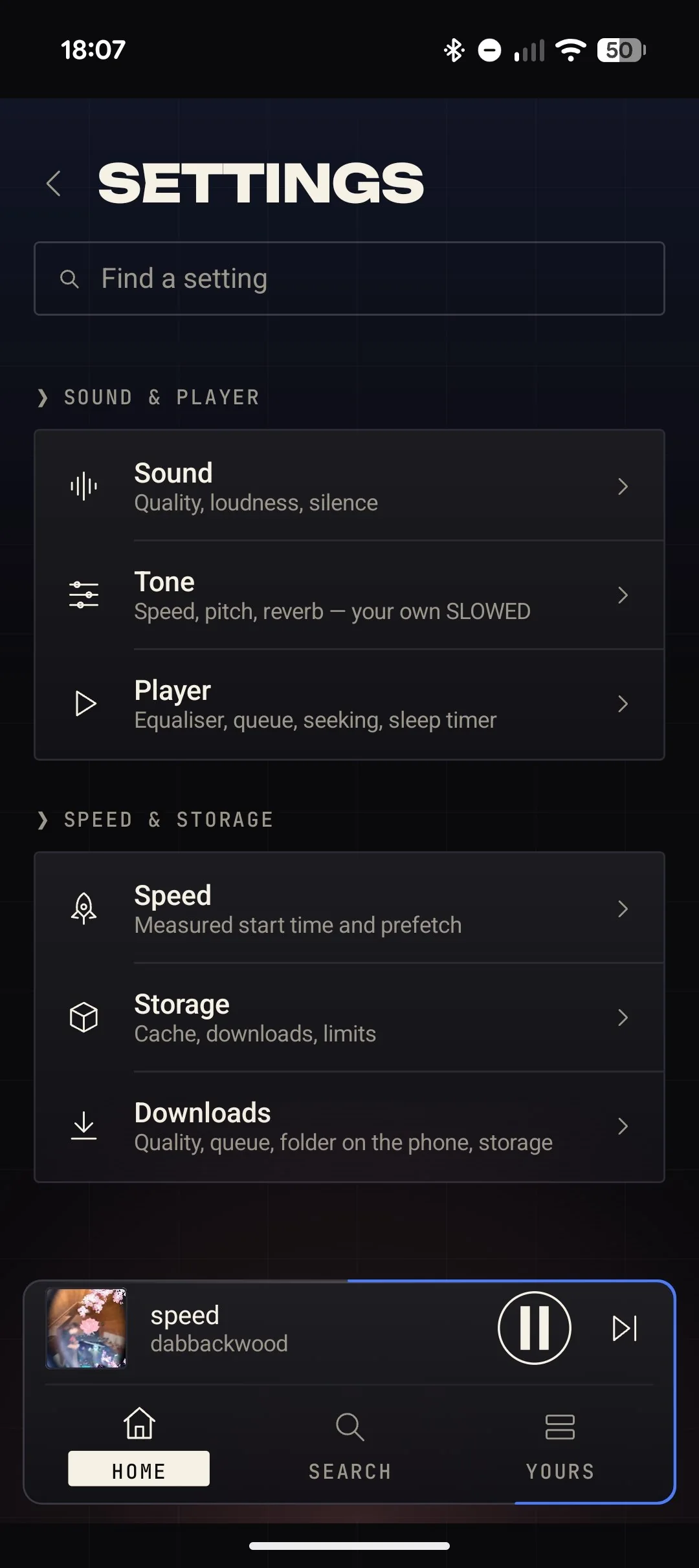
All five betas, from the first to the latest. Each opens on GitHub.
Five slices of the interface — tap, drag, switch. These are mock-ups: no sound here, but the look and motion match the app.
Speed, pitch and reverb belong to the track. Move the sliders and watch the shape of the sound change.
Interface mock-ups. There is no audio on this page: in the app speed, pitch and reverb are applied to the sound and remembered for each track.
The next track is prefetched, stream links are cached and playback starts on a minimal buffer. The app measures tap-to-sound time itself and shows it on the home screen.
Thin lines, sharp corners, one hero per screen and a floating dock. The older Pixel and Smooth looks stay in Settings → Look, and Hairline has its own options: line weight, corners, cover shape, case, density, motion.
Speed, pitch and reverb (SLOWED, SPED UP) are applied to the original file and belong to that track only. One button puts everything back.
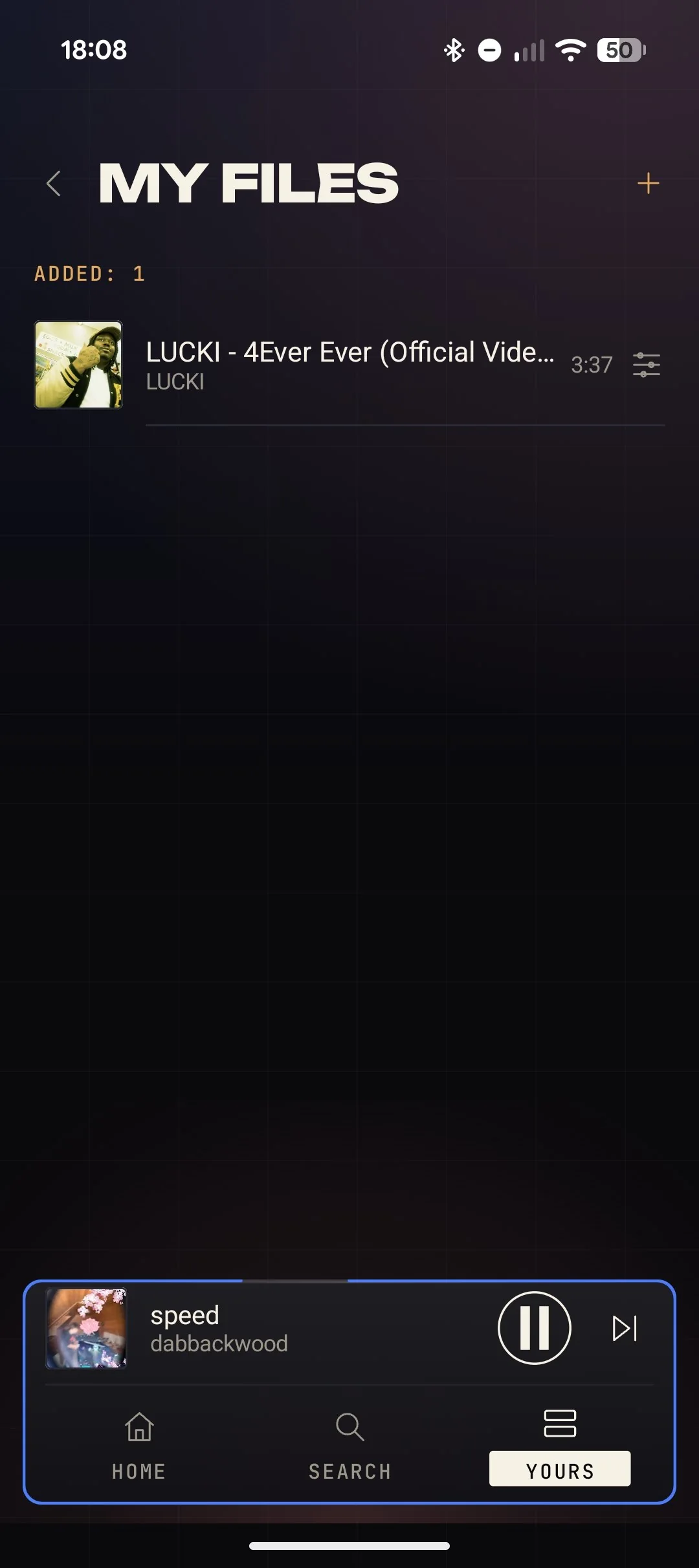
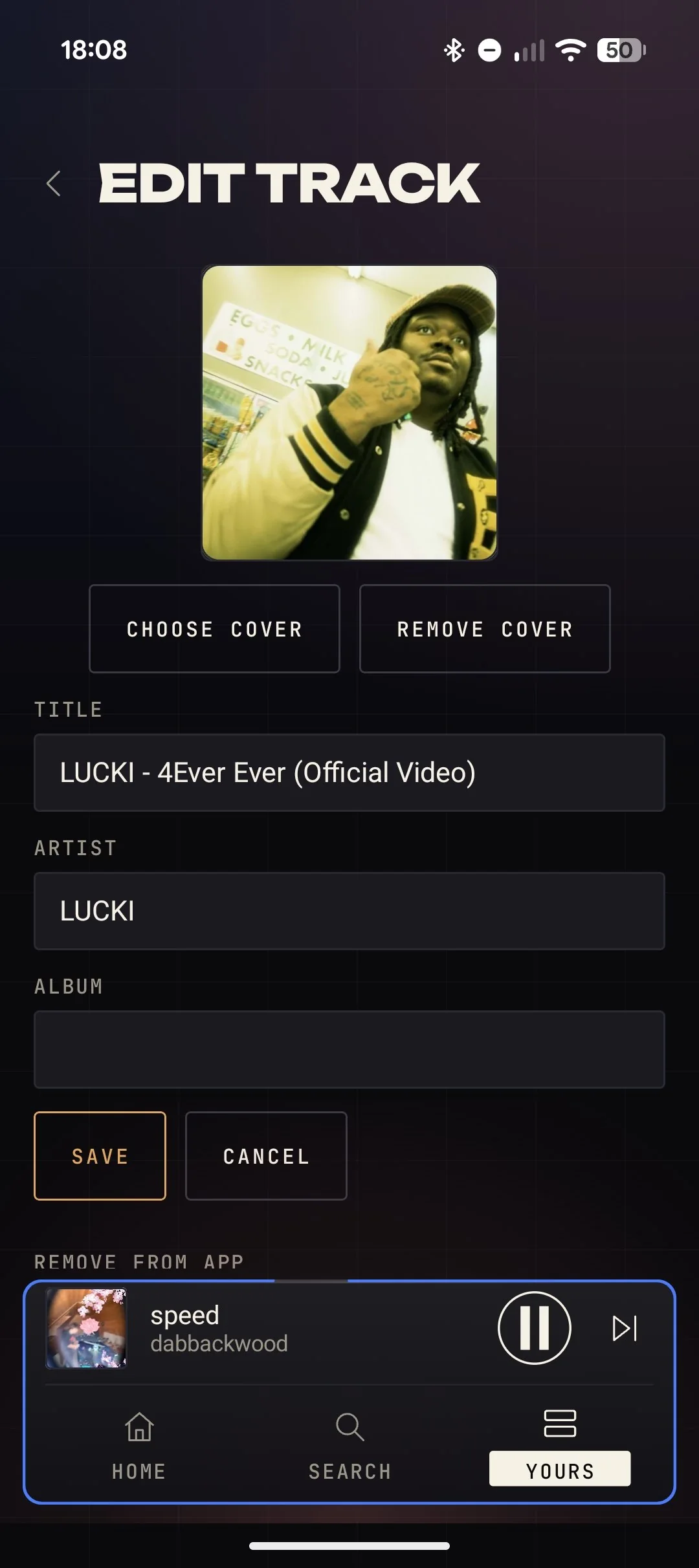
Add mp3, wav and other audio from the phone, edit title, artist, album and cover inside the app. They go into playlists and speed dial. If a file stops opening, the same track from the catalogue plays.
Full-screen lyrics line by line, with translation and an adjustable delay. LRCLIB first, then NetEase, lyrics.ovh and Genius. Searching beyond LRCLIB can be turned off.
For tracks that are really videos you can swap the cover for the video while the sound keeps coming from the same stream. Visualizer: Lines, Orbit, Terrain.
Tracks, albums and playlists into app storage, a “Wi‑Fi only” limit and a button that copies them to Music/w0y music. Saving as MP3 at 320 kbit/s with cover and tags.
Pick one of the Google accounts on the phone and confirm on Google’s page, or paste a cookie by hand. Playlists, likes and subscriptions sync both ways.
What you play most sits on the home screen. Listening stats are computed on the device and a widget shows the current track.
The same ideas on Compose Desktop: two looks, remappable hotkeys, control of the running app from the terminal (w0y --do play_pause), MPRIS and notifications. Sound plays through mpv.
Do not take our word for it. Everything below can be checked in the source.
Library, history, settings, downloads and stats are stored on the device. The project has no server of its own, no analytics and no crash reports.
Requests go only where they have to: music.youtube.com (search, library, stream links), accounts.google.com (the sign-in page only), lrclib.net (lyrics) and fallback Piped servers if the main path gave no audio.
If LRCLIB has no lyrics and “search lyrics everywhere” is on, artist and title go to music.163.com, lyrics.ovh and genius.com. Lyrics translation (translate.googleapis.com) works only if you turn it on.
The sign-in cookie stays on the device. Treat it like a password. The code is open under AGPL-3.0: everything listed is visible in the files.
Download the file, open it on the phone and allow installs from that source. Android 8.0 or newer. Checksums are next to it in SHA256SUMS.txt.
DOWNLOAD · v0.0.3 beta-2Add the repository to Obtainium and it will tell you about new versions. Updates install over the top as long as they are signed with the project key.
$ https://github.com/texfi-w0y/texfi-w0yDownload w0y-linux-x86_64.tar.gz, unpack it and run ./install.sh. You need mpv installed. The Linux interface is in Russian only for now.
w0y-linux-x86_64.tar.gzYou need JDK 21 and the Android SDK (compileSdk 37). This builds a debug version; signed releases are built by GitHub Actions.
$ git clone https://github.com/texfi-w0y/texfi-w0y.git && cd texfi-w0y && ./gradlew assembleDebugWhat is not yet the way we want it in this beta. We say it ourselves.
Account sync reads YouTube pages the way the web version does, and YouTube can change them without warning.
MP3 at 320 kbit/s does not improve the source: YouTube audio is compressed harder. 320 only avoids losing more in conversion.
Lyrics from Genius and NetEase are read from their public pages and may stop working when those change. They can be from a different version of the song.
Video goes over SABR. A known issue in this beta: on some tracks the picture stays black while the sound plays normally.
The Linux interface is in Russian only.
There is no web version and none is planned.
No. w0y is an independent project: not affiliated with, endorsed by or supported by YouTube or Google. YouTube and YouTube Music are trademarks of their owners.
Android 8.0 (API 26) and newer. Linux has a separate x86_64 build.
The app does not check for updates or download anything in the background. A new version is a new APK in the GitHub releases: install it over the old one and your data stays. Adding the repository to Obtainium is easier.
No. Your own files play from disk, go into playlists and speed dial and are never sent to YouTube. Recommendations after a file are built from the same track in the catalogue.
They are still there: Settings → Look. Hairline is the default now and the old two can be brought back at any moment.
It already works but it is young. Small bugs and changes are possible, especially where everything depends on the YouTube side: once it changes, parsing has to be fixed.
Open an issue in the GitHub repository and say what happened, on which phone and in which version (Settings → About). Strip anything personal from a log before posting it.
w0y is an independent project. It is not affiliated with, endorsed by or supported by YouTube or Google. YouTube and YouTube Music are trademarks of their owners.